
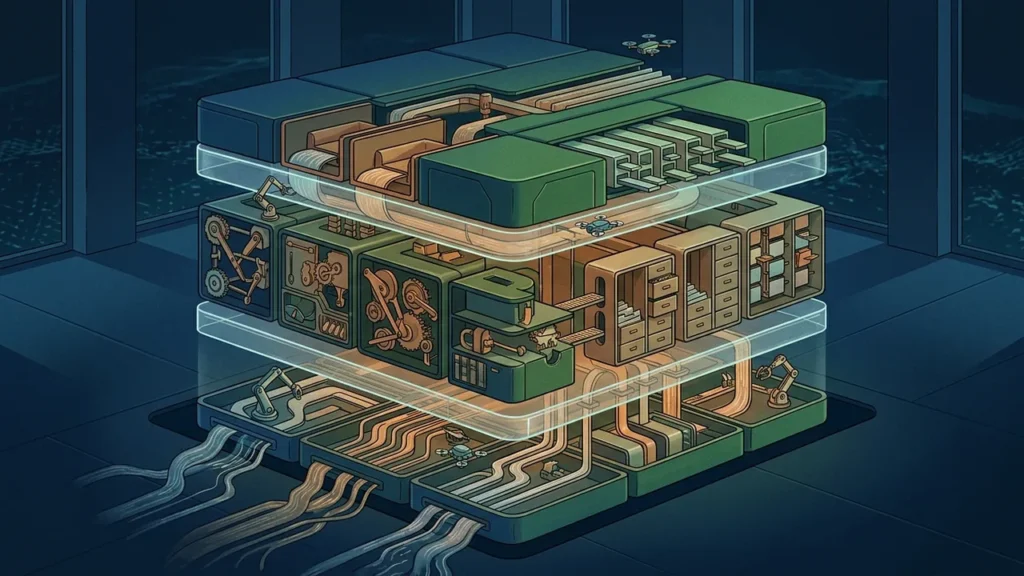
An AI agent working on a long task keeps collecting information. It reads files, calls tools, writes code and checks results. All of that lands in its context window, the text the model can see at any moment. Sooner or later the window fills up, and the agent starts to lose track of what it was doing.
Managing that problem has a name: context engineering. Anthropic described the idea in an engineering post in September 2025, and LangChain explained in January 2026 how its open-source Deep Agents harness puts it into practice. Together, the two posts give a practical picture of how agents stay on track over hours of work.
Why More Context Is Not Always Better
A bigger context window sounds like the obvious fix. Anthropic argues it is not. Tests of the “needle in a haystack” kind show what it calls context rot: the more tokens in the window, the worse a model gets at recalling any one detail from it. Every model shows this to some degree.
Anthropic compares it to human working memory. A model has an “attention budget”, and every extra token spends some of it. Part of the reason is how transformer models work: each token relates to every other token, so the number of relationships grows very quickly with length. Models also see fewer very long texts during training. The result is a gradual decline rather than a sudden failure, but it is real.
So Anthropic defines the goal of context engineering as finding “the smallest possible set of high-signal tokens” that makes the desired result most likely.
Context Engineering vs. Prompt Engineering
Prompt engineering is about writing good instructions. Context engineering covers everything the model sees: instructions, tool definitions, examples, external data and the growing history of the conversation. For an agent running in a loop, that is not a one-time task. The decision about what goes into the window is made again at every step.
Anthropic’s advice for the fixed parts is to keep them lean. System prompts should be clear and pitched at the right level, neither a brittle list of if-then rules nor vague guidance. Tools should do distinct jobs with little overlap. As Anthropic puts it, if a human engineer cannot say which tool fits a situation, an agent cannot be expected to do better. Examples should be a few well-chosen cases, not a long list of edge cases.
Loading Information Just in Time
Many AI apps fetch relevant documents before the model starts working. Anthropic describes a shift toward a “just in time” approach. The agent keeps lightweight references, such as file paths, saved queries or links, and loads the actual data only when it needs it.
Anthropic’s coding agent Claude Code works this way. It can query a large database and look at results with simple commands like head and tail, without ever loading the full data into its window. Claude Code also uses a hybrid model: its CLAUDE.md instruction files are loaded up front, while search tools let it find other files on demand. The trade-off is speed, since exploring at runtime is slower than retrieving data in advance.
Technique 1: Offloading Large Content to Files
LangChain’s Deep Agents harness gives agents a file system to work with, and uses it to keep the context window light. It does this in two ways.
First, when a tool returns a very large result, over 20,000 tokens, the harness saves it to a file. In the conversation, it leaves only the file path and a preview of the first 10 lines. The agent can read or search the file later if it needs more.
Second, when the agent writes or edits a file, the full file content sits in the conversation history, even though it is already saved on disk. When the context passes 85% of the model’s window, Deep Agents replaces those older tool calls with a pointer to the file.
Technique 2: Compaction and Summaries
When offloading no longer frees enough space, the next step is summarizing. Anthropic calls this compaction: taking a conversation close to the limit, summarizing it and starting a fresh window with the summary.
In Claude Code, the model summarizes the history and keeps decisions about the code’s structure, unresolved bugs and implementation details. It drops repeated tool output. The agent then continues with the summary plus the five files it used most recently. Anthropic notes that the hard part is choosing what to keep, because a detail can look unimportant until much later. The lightest form of compaction is simply clearing old tool results.
Deep Agents adds a safety net. Its summary records the session’s intent, the files created and the next steps. The complete original conversation is also written to a file. If the agent later needs a detail that was summarized away, it can search for it.
Technique 3: Notes the Agent Keeps for Itself
Anthropic’s third technique is structured note-taking, sometimes called agentic memory. The agent regularly writes notes to a place outside its context window, such as a to-do list or a NOTES.md file, and reads them back later.
Anthropic’s example is Claude playing Pokémon. Over thousands of game steps, the agent kept exact tallies of its progress, maps of explored areas and notes on which attacks worked. After its context was reset, it read its own notes and carried on with training runs lasting hours.
Technique 4: Sub-Agents With Clean Windows
The fourth approach splits the work. A main agent holds the overall plan and hands focused tasks to sub-agents, each with its own clean context window. A sub-agent may use tens of thousands of tokens exploring, but it returns only a short summary, often 1,000 to 2,000 tokens. The detailed search stays with the sub-agent, and the main agent’s window stays clear.
Anthropic suggests matching the technique to the task. Compaction suits long back-and-forth work. Notes suit step-by-step development with clear milestones. Sub-agents suit research where exploring several directions at once pays off.
How to Test That It Works
LangChain’s post adds something the Anthropic post does not: how to check that context management is not quietly hurting the agent. On normal benchmarks, compression happens only now and then, so its effects are hard to measure. LangChain’s answer is to trigger it far more often on purpose, for example at 10 to 20% of the window instead of the default 85%, and then compare different summary prompts.
It also runs small, targeted tests. One forces a summary in the middle of a task and checks whether the agent keeps working toward the same goal. Another hides a fact early in the conversation, forces a summary that removes it, and checks whether the agent can find it again in the saved files.
LangChain calls goal drift the most insidious failure. After a summary, an agent may ask the user for clarification it should not need, or declare a task finished when it is not.
Questions for Teams Building Agents
- How much of the context window do tool results take up, and could they be saved to files instead?
- Does the summary keep the user’s original goal and the next steps, not just what was done?
- Can the agent recover a detail after it has been summarized away?
- Is there a test that forces compression often enough to catch goal drift?
Anthropic’s closing advice is to “do the simplest thing that works.” Better models may need less hand-holding over time, but both posts agree that treating context as a limited resource will stay central to building agents that finish long jobs.